Curated · Premium · Short-form
Big stories, cut to the minute you actually have.
SnapFlick is a curated shelf of premium short-story dramas. Browse by length, save a favorite with a single tap, and pick up on the exact second you left — no endless feed, no guesswork.
- 71
- acts in a single saga
- 1 tap
- to save to your vault
- Exact
- resume, every time
The features
Built for the ten minutes
between everything else.
Four decisions shape the whole app. Everything else got cut.
-
01
Browse by length, not by luck
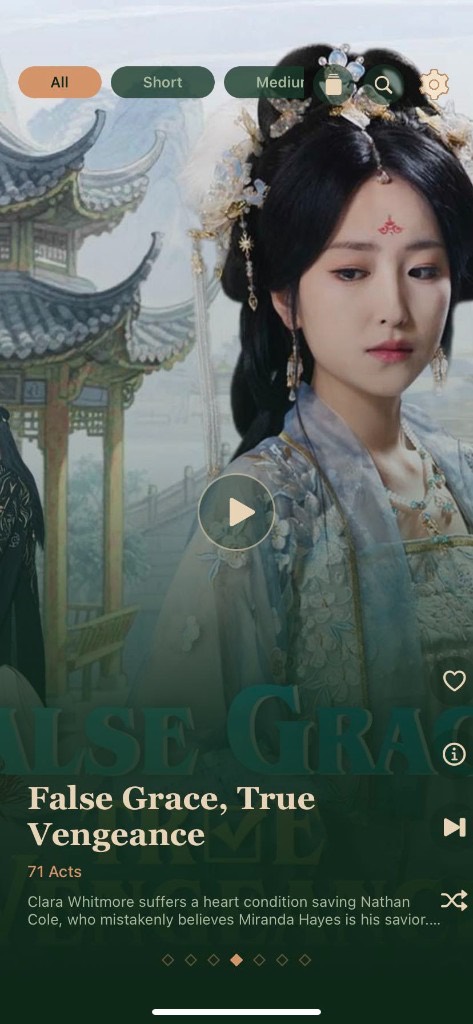
Filter the shelf by story length, then start on the act that fits the time you actually have — a coffee break or a long evening.
-
02
A vault you tap once to fill
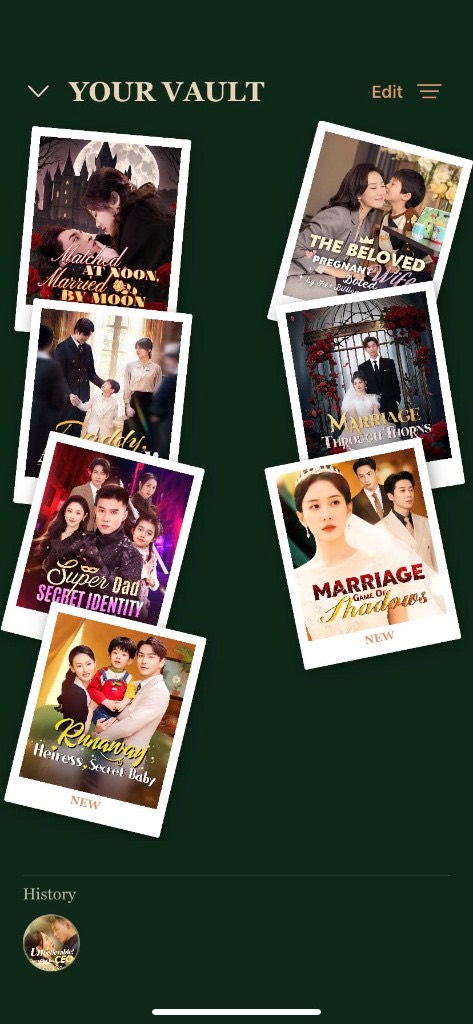
One tap saves a story to your personal vault — a hand-arranged wall of covers with your history sitting right underneath.
-
03
Pick up exactly where you left off
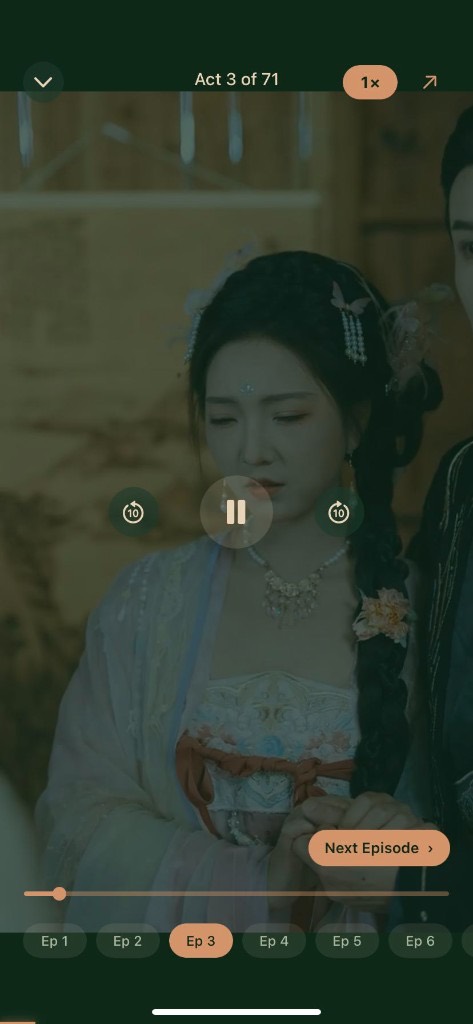
Close the app mid-line and come back hours later. SnapFlick reopens right where you stopped, with the next episode already queued.
-
04
Recommendations that read the room
Finish a saga and the next shelf leans into what you actually watch, so the story you want is the one already waiting.
The reel
Four screens,no clutter.
Three taps
From lock screen to cliffhanger.
-
Ep 1
Pick your window
A short break or a long evening — tap a length filter and the shelf rearranges itself around your time.
-
Ep 2
Open the story sheet
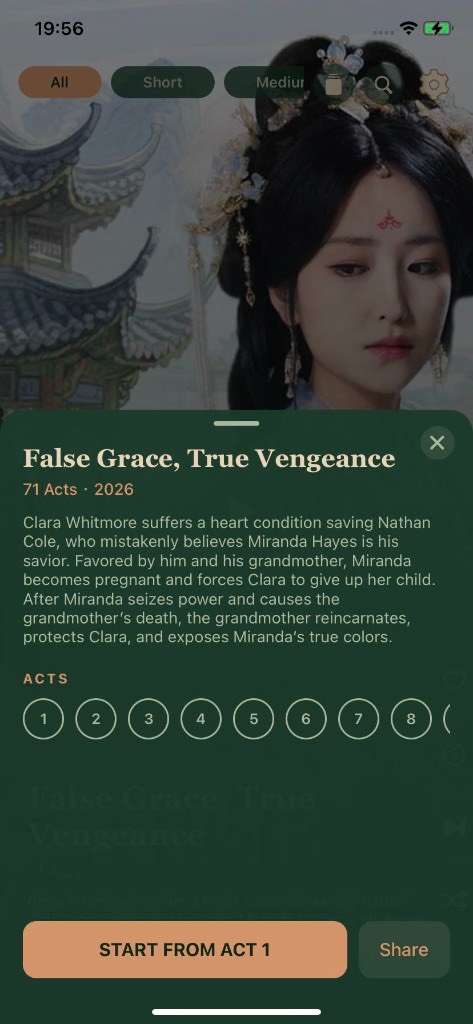
Read the synopsis, scan the act dial, and start from Act 1 or drop straight into the act you left.
-
Ep 3
Let it roll
Set your speed, let episodes chain automatically, and save the ones worth a second run.
Download
The curtain rises
very soon.
SnapFlick is in its final rehearsal. Tap a store button and we’ll tell you exactly where things stand.
SnapFlickiOS & Android · Coming soon
Questions
Before the
first act.
Still curious? Write to us — a person answers.
svxq4090@outlook.com01What exactly is a short-story drama?
A complete story told in short vertical acts instead of one long episode. A saga can run well past seventy acts — the featured story, False Grace, True Vengeance, has 71 — so you finish a real arc rather than a clip.
02Do I lose my place if I close the app?
No. SnapFlick stores your position per story, so reopening drops you back on the same frame with the next episode already lined up.
03Can I change playback speed?
Yes — the speed toggle sits right in the player, so you can slow a scene down or push through at a faster pace. Your choice carries over as episodes chain.
04How does the vault work?
Tap the heart on any story and it pins itself to Your Vault. Rearrange, edit or clear it any time; recently watched titles stay in the history row underneath.
05When can I download it?
SnapFlick is in its final rehearsal for iOS and Android. The store listings go live shortly — check back here, or email us and we’ll let you know.